Available · v1.9

Every set logged.
Every lift planned.
No guesswork.

A full training diary for Android and the browser. Log any exercise with weight, reps and effort, follow 12-week plans for bench, squat and deadlift, watch your progress in graphs — and export the whole diary for your AI assistant.

ironlog.sk Android v1.9 9.9 MB Android 8.0+ SK · EN
Got an iPhone? IronLog runs in your browser at ironlog.sk — open it in Safari and add it to your home screen (the LEARN tab shows you how). It works like a regular app, no App Store needed.
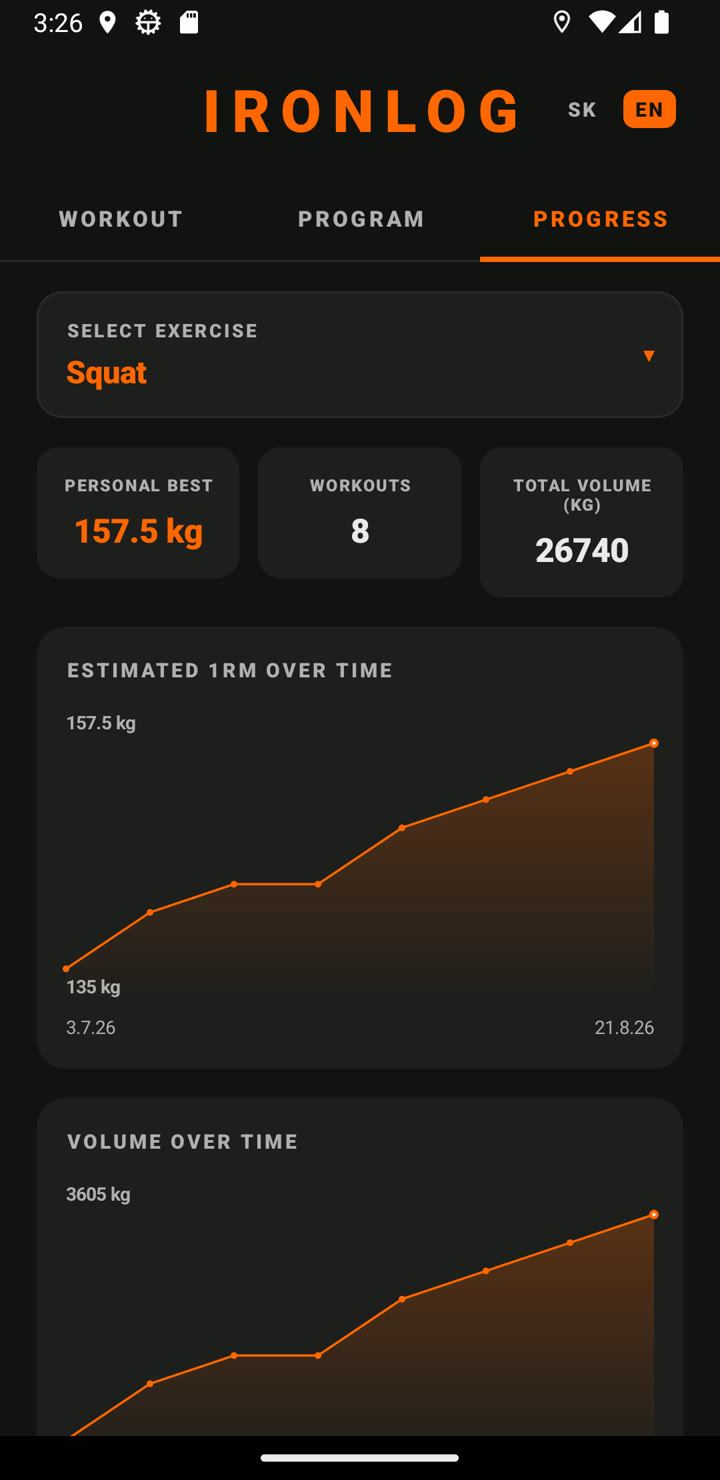
IronLog progress tab — personal max, workout count, volume and 1RM graph

What's inside

Three tabs: TRAINING, PROGRAM and PROGRESS — a diary, smart plans and your trend in one app.

Training Diary

Log any exercise, free-form — weight, reps and effort 1–5 per set. Today's session, your way, in seconds.

Custom Exercises

Add anything — cable pulldowns, curls, farmer's walks. Add it once and it stays in your list.

Progress Graphs

Estimated 1RM and training volume over time, per exercise. Watch the trend, not a single day.

AI Export

Export the whole diary to JSON, ready to hand to your AI assistant — have it analyse your training and suggest what's next.

12-Week Plans — the Big Three

Bench, squat and deadlift — each with its own test, its own plan and its own history. Weekly increments tuned per lift.

Prediction Table

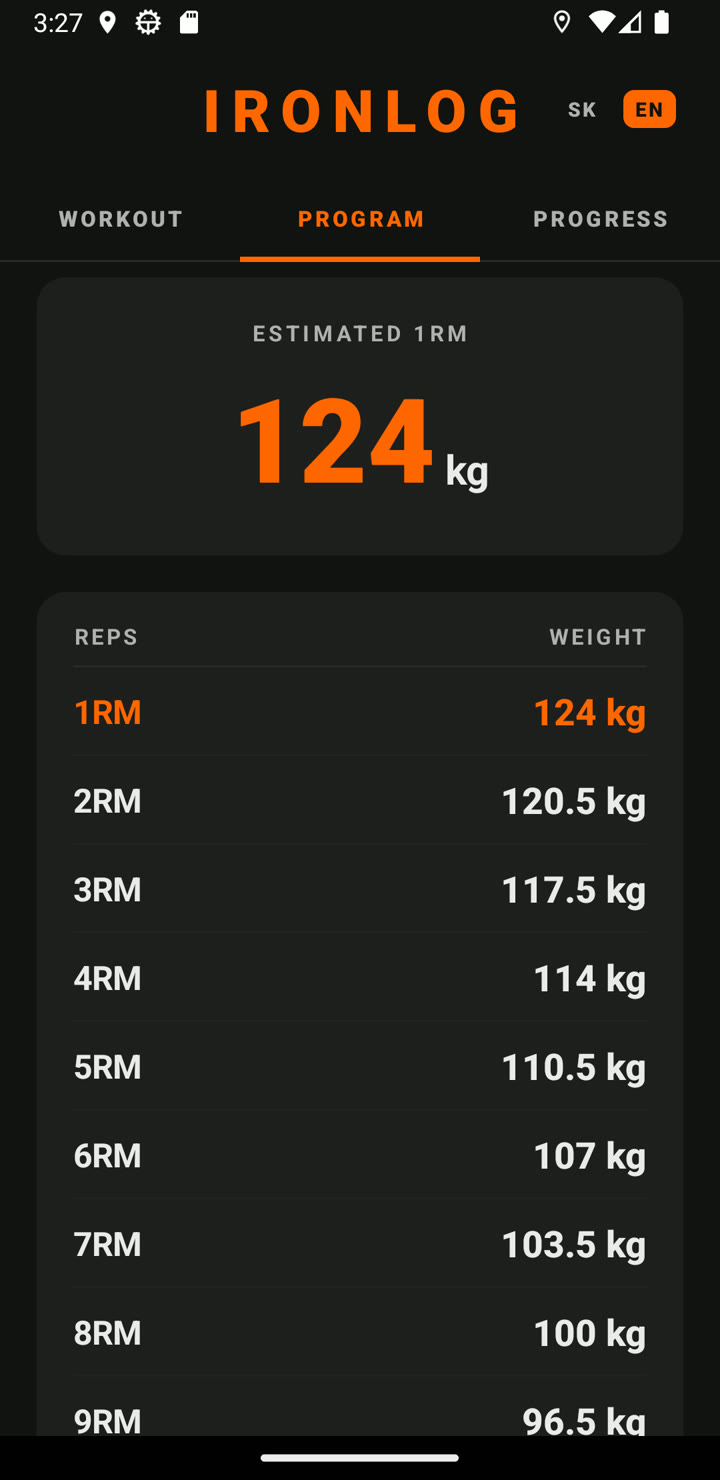
What you can lift for 1 through 15 reps. Above 10 reps shown as an honest range (two formulas), not false precision.

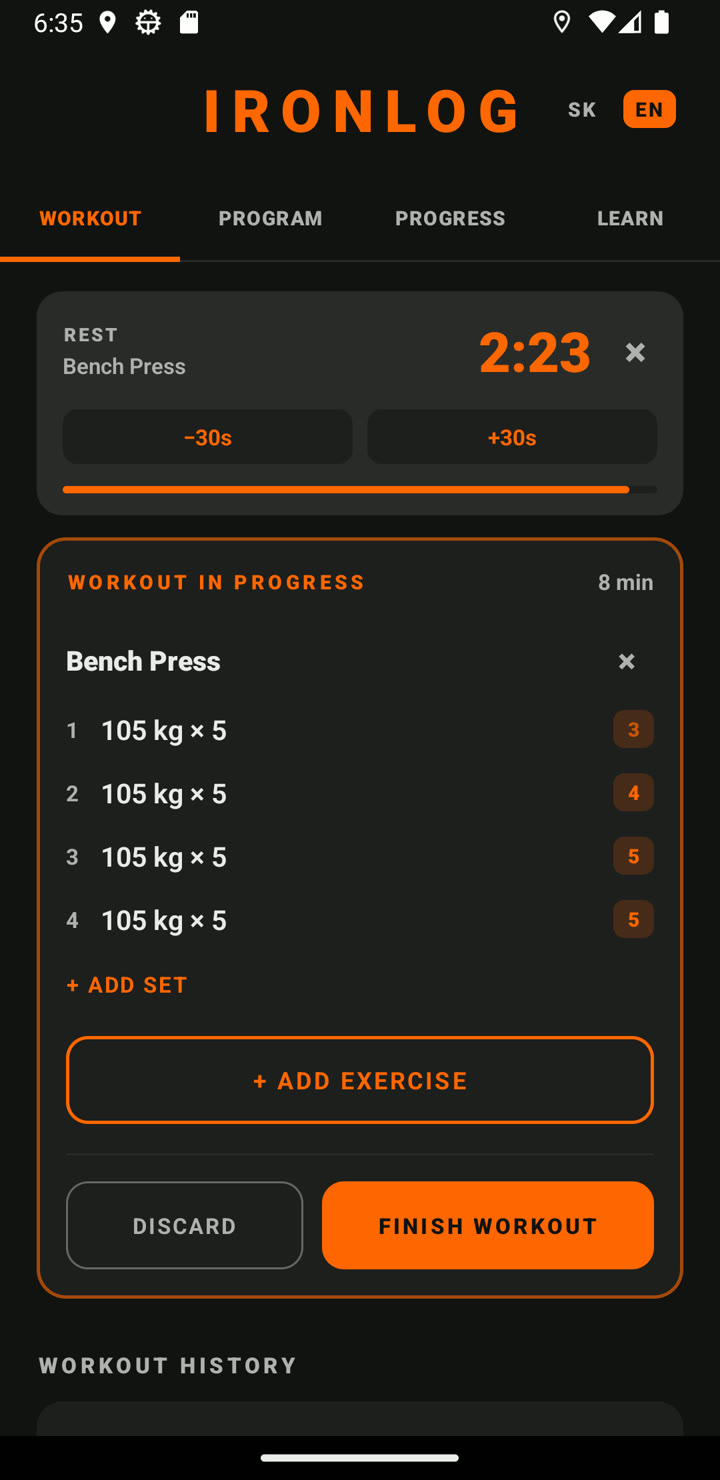
Rest Timer

Log a set and the rest countdown starts by itself — it remembers your rest length per exercise and vibrates when time's up. Survives app switches and the lock screen.

Learn While You Lift

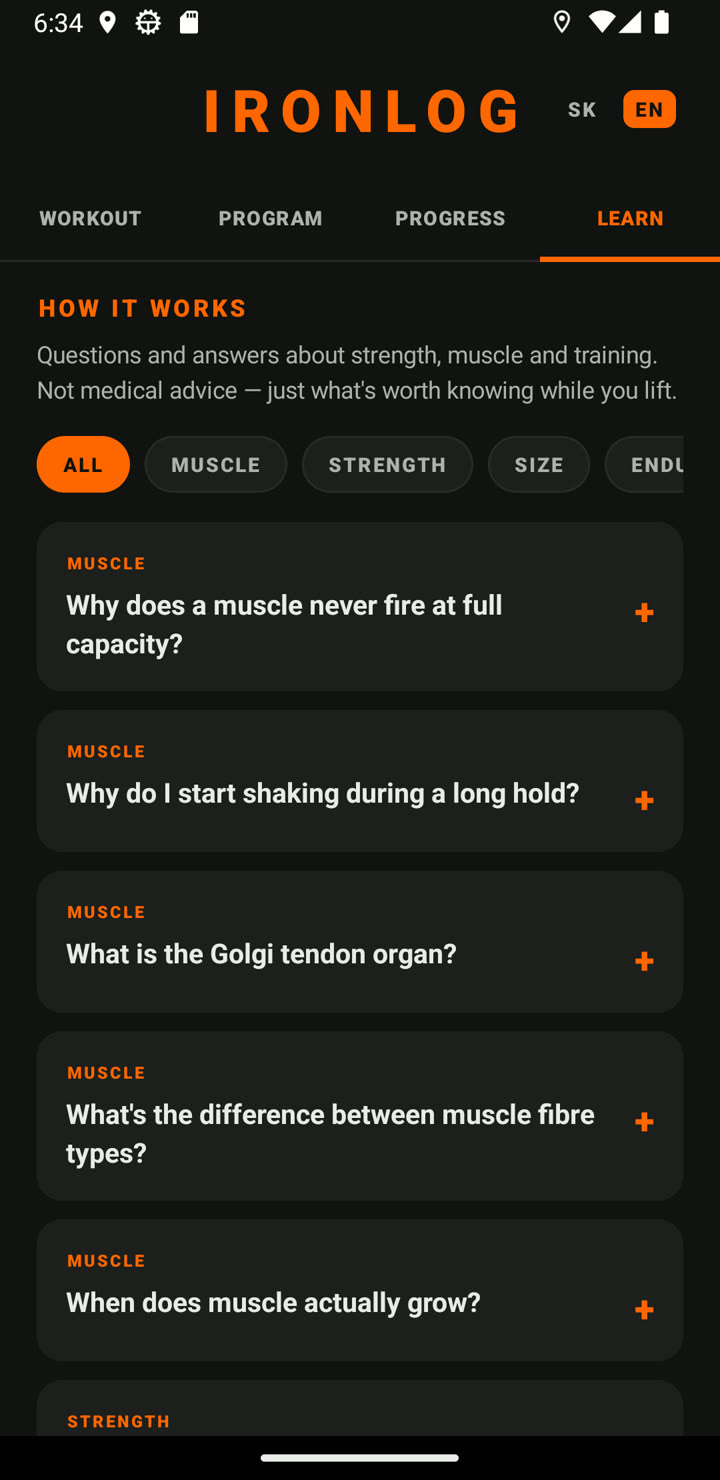
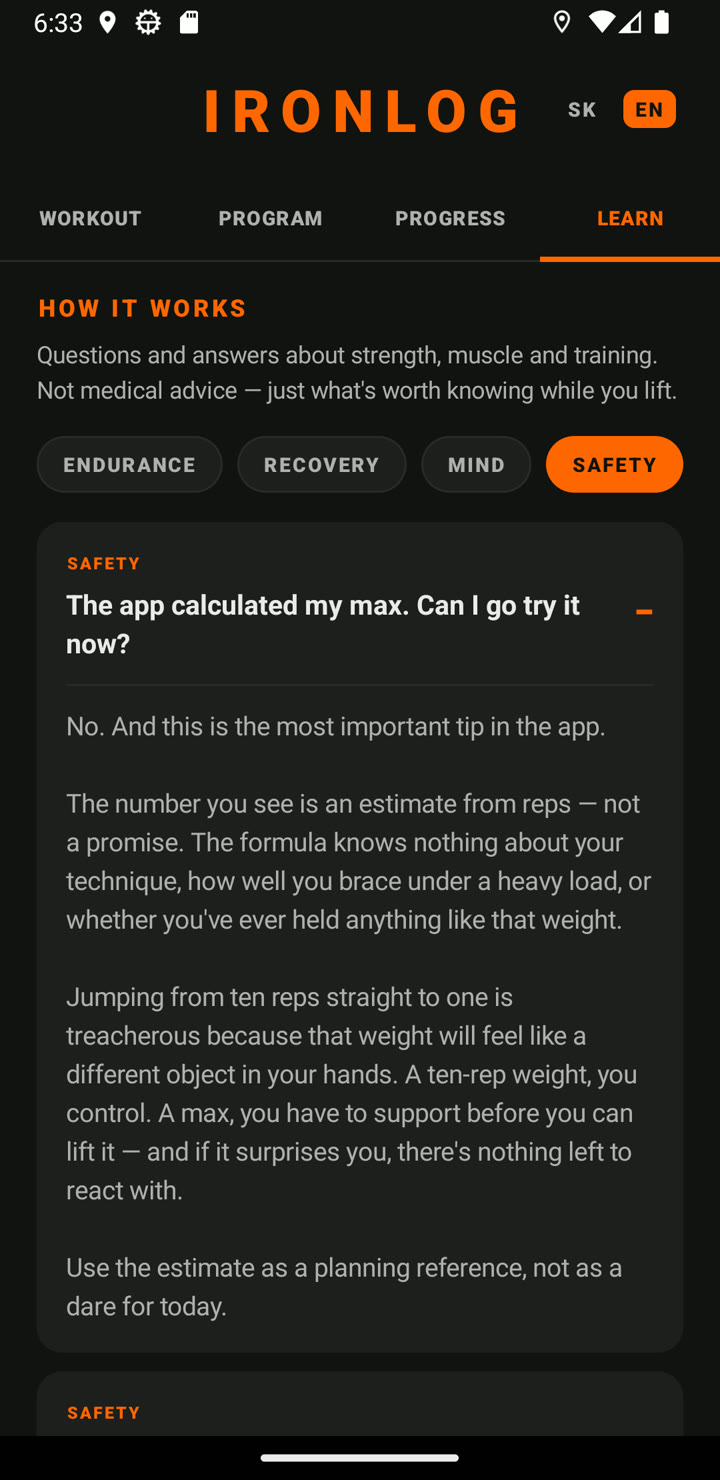
25 questions & answers on muscles, strength, recovery and mindset — including why you shouldn't test your calculated max today, and how to reach a new PR safely.

Local & Private

No cloud. No signup. No tracking. Your data stays on your device. Works fully offline.

Slovak & English

Switch language with a single tap. Both translations crafted by lifters, not Google Translate.

See it in action

From today's session, to your 12-week plan, to the long-term trend.

Training tab — a workout opened with all sets and effort ratings
Training Diary
Every set, with effort 1–5
Progress tab — personal max, workout count, volume and graphs
Progress
1RM & volume over time
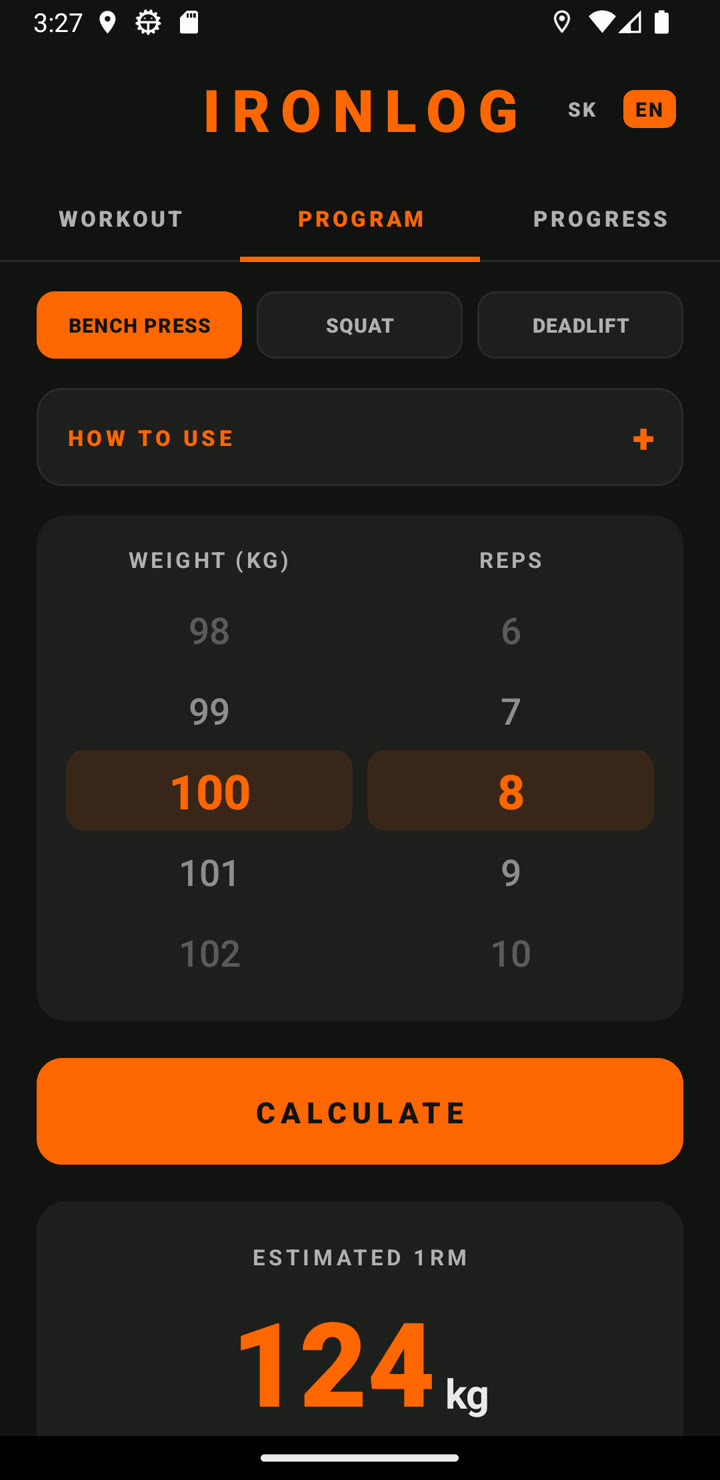
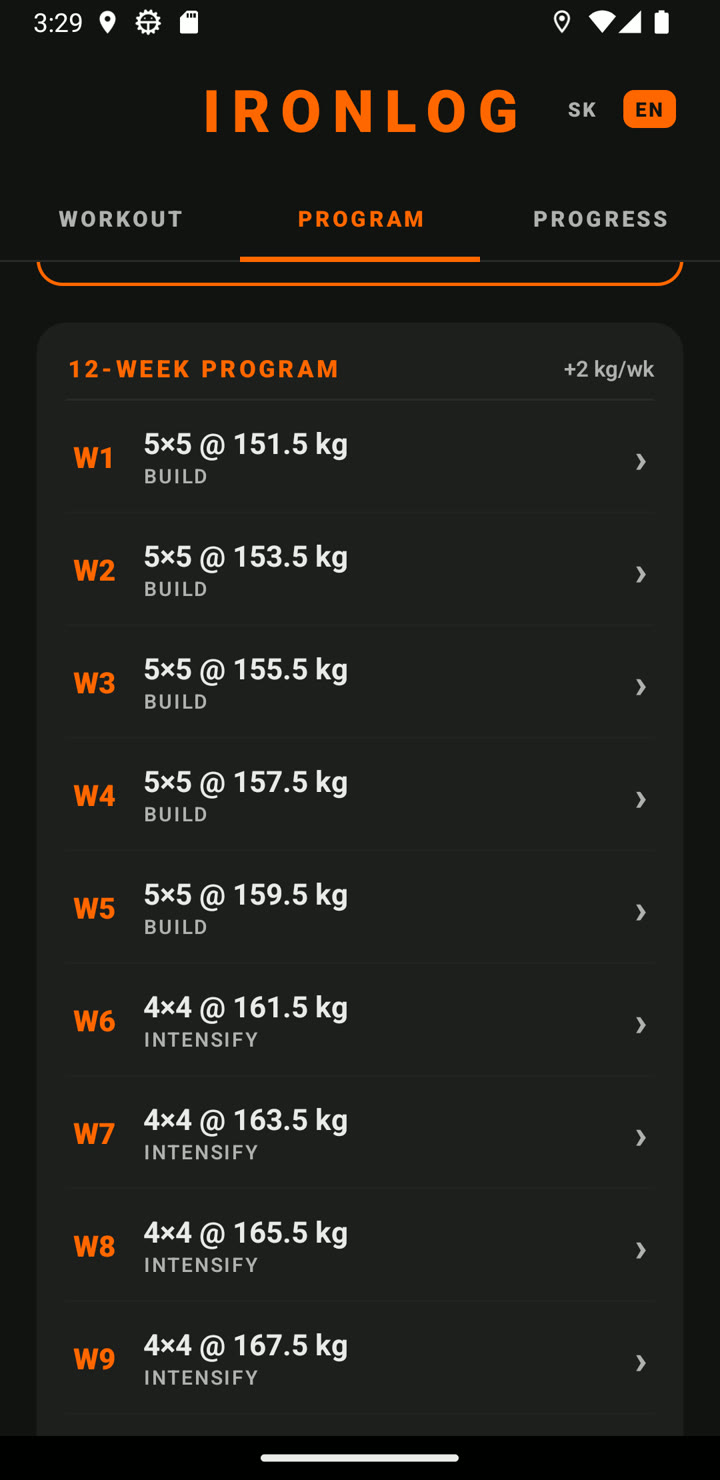
Program tab — bench, squat and deadlift switch with 1RM estimate
Pick Your Lift
Bench · squat · deadlift
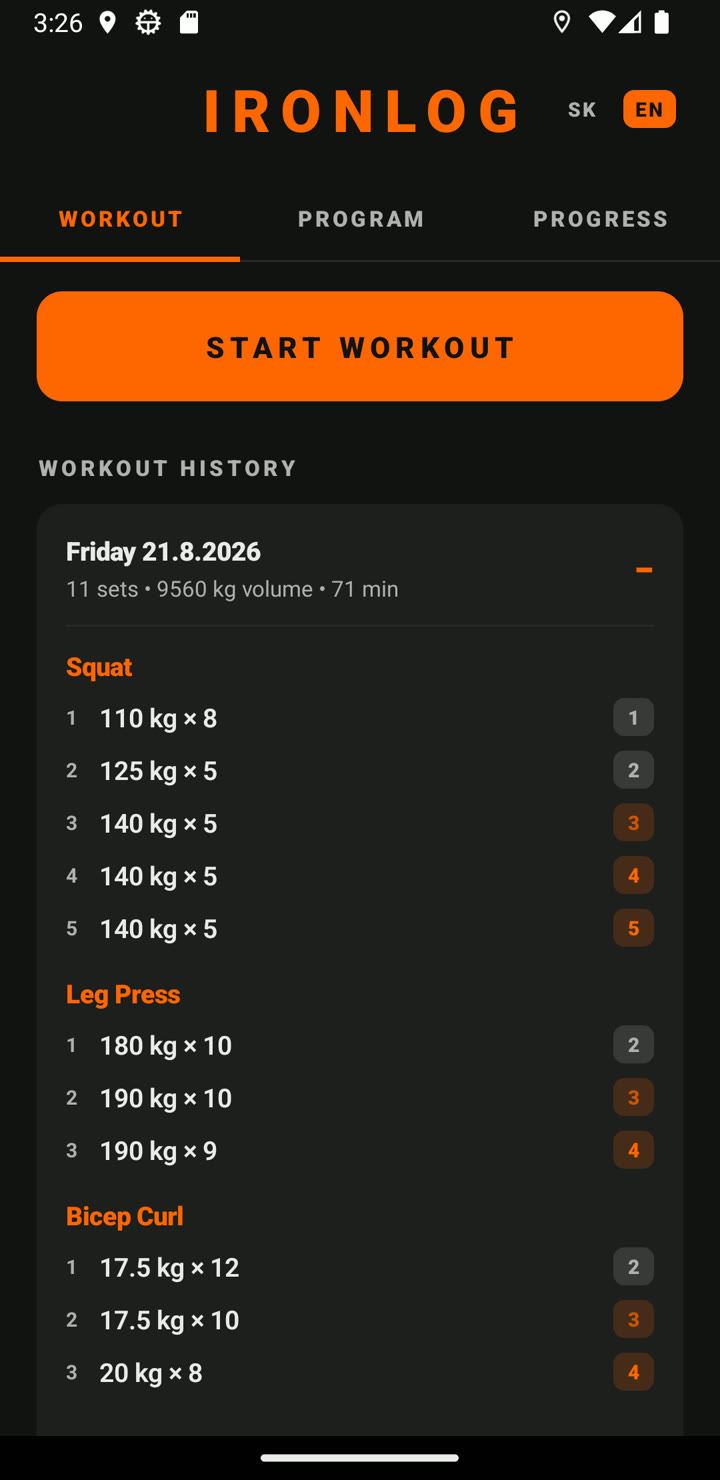
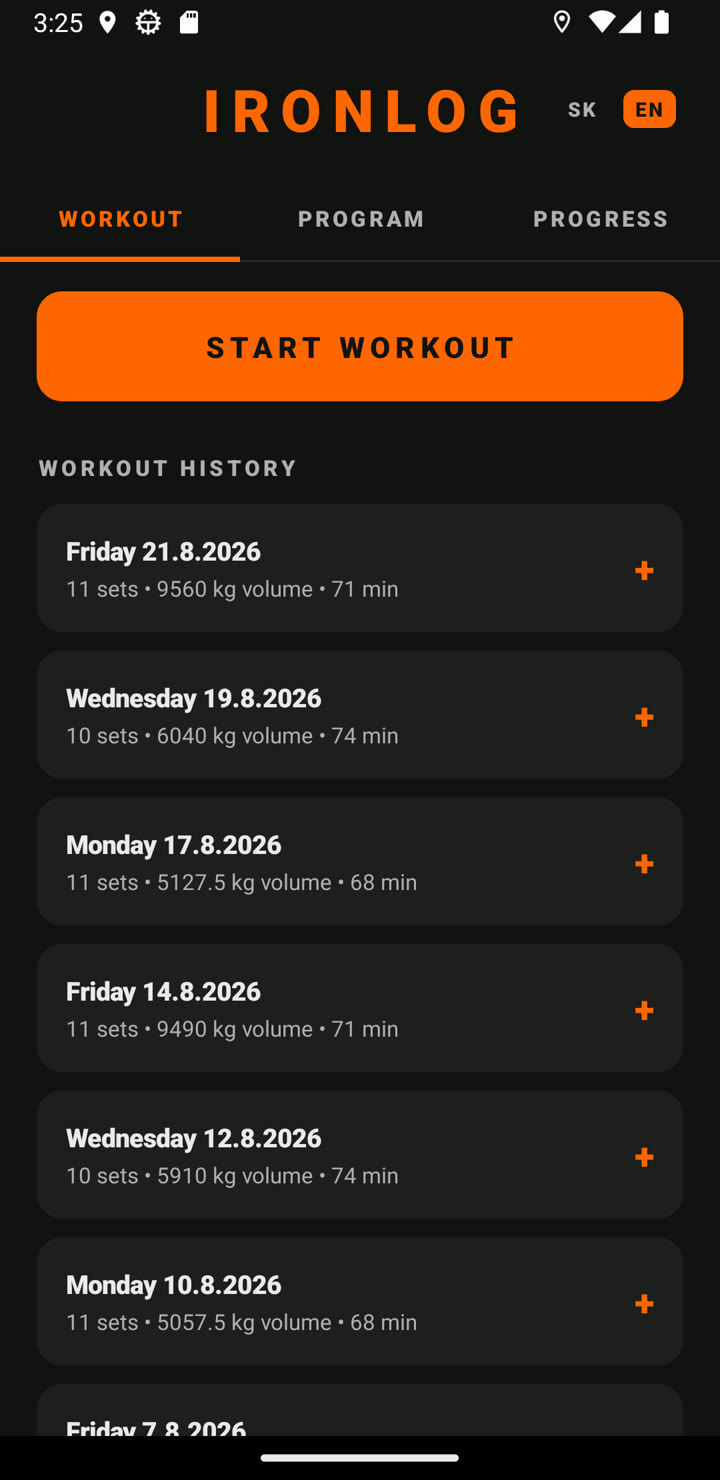
Training tab — list of workouts with date, sets, volume and duration
Workout History
Date · sets · volume · time
Prediction table from 1RM to 15RM
Prediction Table
1RM through 15RM
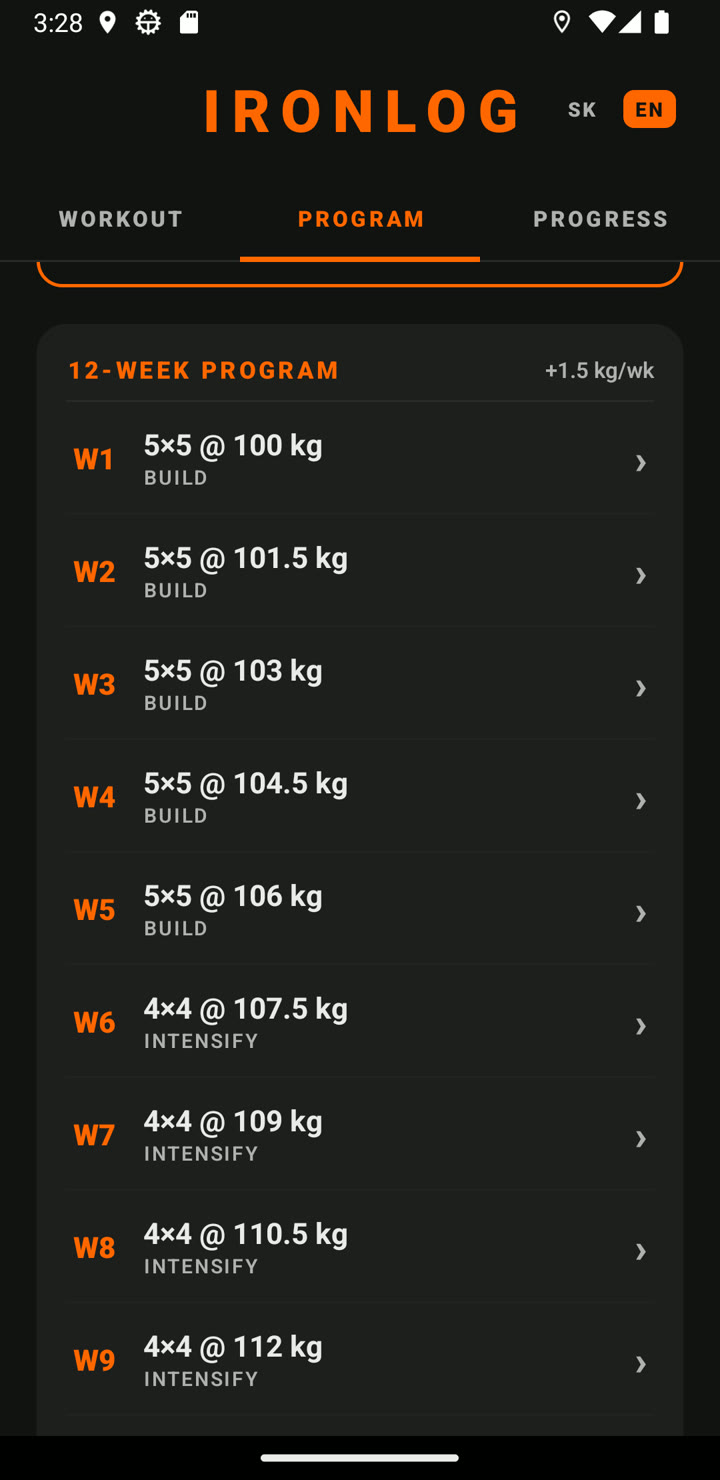
12-week bench plan with weekly increments
12-Week Plan — Bench
+1.5 kg per week
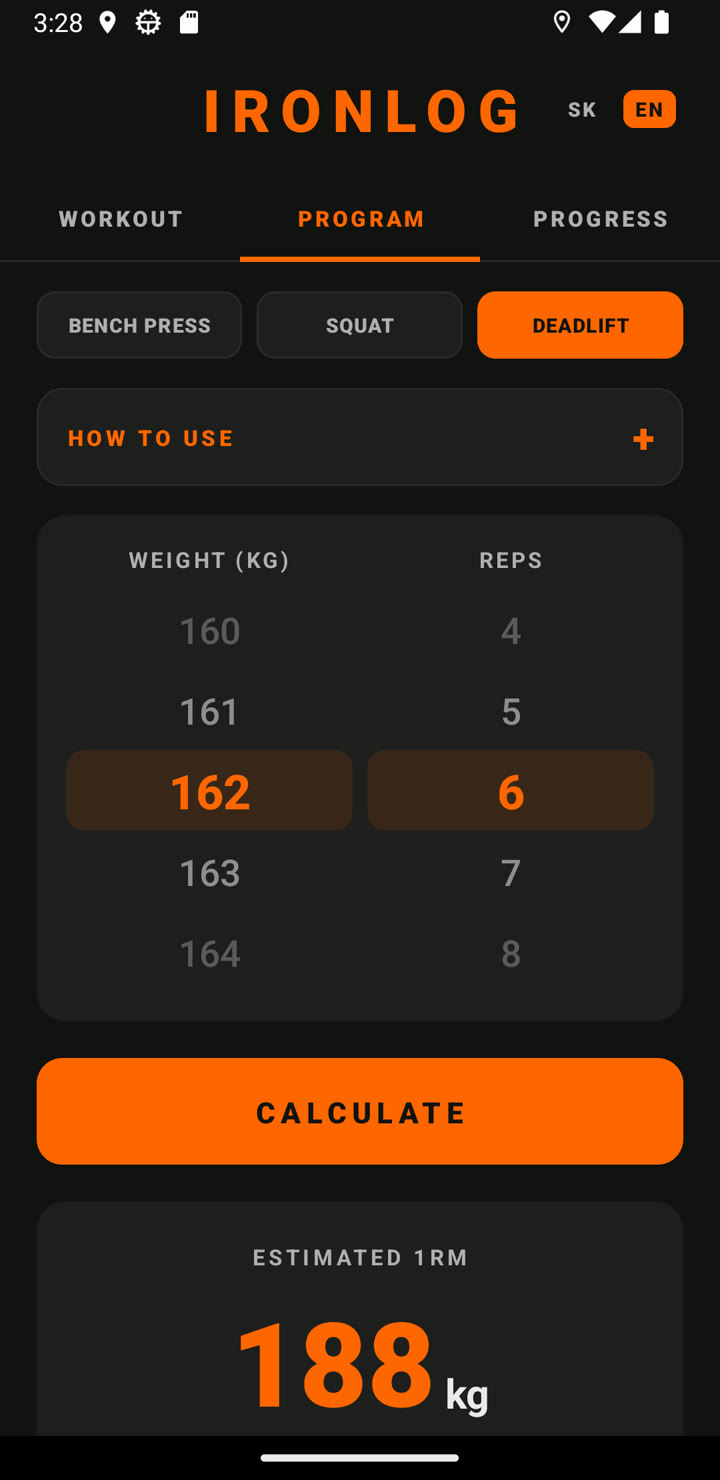
Deadlift selected — 162 kg × 6 gives an estimated 188 kg max
Deadlift Test
162 kg × 6 → 188 kg
12-week deadlift plan with weekly increments
12-Week Plan — Deadlift
+2 kg per week
Rest timer bar above a running workout — countdown, minus and plus 30 seconds
Rest Timer
Starts itself · remembers per lift
Learn tab — question cards with category filter
Learn Tab
25 Q&As in seven categories
Opened answer explaining why not to test your calculated max right away
Max Safety
Why not to test it today

Swipe to see more

Who it's for

For anyone who wants their training written down and understood — a diary for every exercise you do, and deliberate 12-week plans for the big three. Beginners get structure; advanced lifters get history, trends and data their AI can chew on.

How to install

Three steps. Two minutes.

1

Download the APK

Tap the Download for Android button on this page from your phone.

2

Open the file

Open the downloaded APK. Android will ask permission to install from unknown sources — allow it.

3

Done

The IronLog icon appears in your app drawer. Open it and start with a test set.

Samsung S24 / S25 and newer: Turn off Auto Blocker first.
Settings → Security and privacy → Auto Blocker → disable "Block app installs from unauthorized sources".

Free. Forever.

IronLog is currently free — no ads, no tracking, no paywalls. Like it? Inside the app there's a Support button — buy the dev a coffee. ☕

What's new

Release history. Newest first.

v1.9 25 Aug 2026

• New TIPS tab — 25 questions & answers on strength, muscles, recovery and mindset, in seven categories

• Tip of the day on app open — dismissible, can be turned off in settings

• Explains why you shouldn't test your calculated max right away — and how to work up to a new PR safely

v1.8 25 Aug 2026

• Rest timer between sets — starts automatically when you log a set

• Remembers your rest length per exercise (long for squats, short for curls)

• Phone vibrates when the rest is over; survives app switches and lock screen

v1.7 25 Aug 2026

• Fix: in English mode, weekdays were shown in Slovak

v1.6 25 Aug 2026

• Fixed dialog styling and exercise list ordering

• Set editor now shows which exercise you're adding to

v1.5 25 Aug 2026

• 12-week plan now covers SQUAT and DEADLIFT too — each lift with its own test, plan and history

• Deadlift warns that above 8 reps your grip fails before your back

v1.4 25 Aug 2026

• New TRAINING tab — log any exercise (weight, reps, effort 1–5)

• Custom exercises — add anything and it stays in your list

• New PROGRESS tab — 1RM and volume graphs per exercise

• Full diary export to JSON, ready for your AI assistant

v1.3 12 Aug 2026

• Fix: above 10 reps the prediction table now matches your input row exactly

v1.2 12 Aug 2026

• Input extended to 15 reps (was 10)

• Above 10 reps the 1RM estimate is shown as a range (Brzycki + Epley)

v1.1 8 May 2026

• Added help — how to enter test results

• Added new-version detection

v1.0 7 May 2026

Initial release.

Ready to lift smarter?

Pick your weapon — web version in your browser or native Android app. Free, no accounts.

Open web app Android v1.9 (9.9 MB)

Found a bug or have feedback? Email us at info@blueberrysdigital.com